Trimaster FW190A8
-
speedgraflex

- Moderator
- Posts: 11534
- Joined: Fri Feb 10, 2017 11:08 pm
- Contact:
Re: Trimaster FW190A8
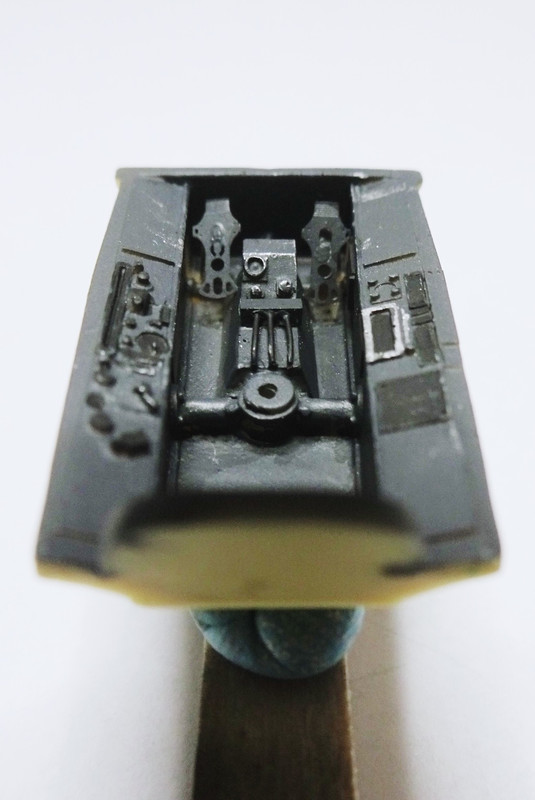
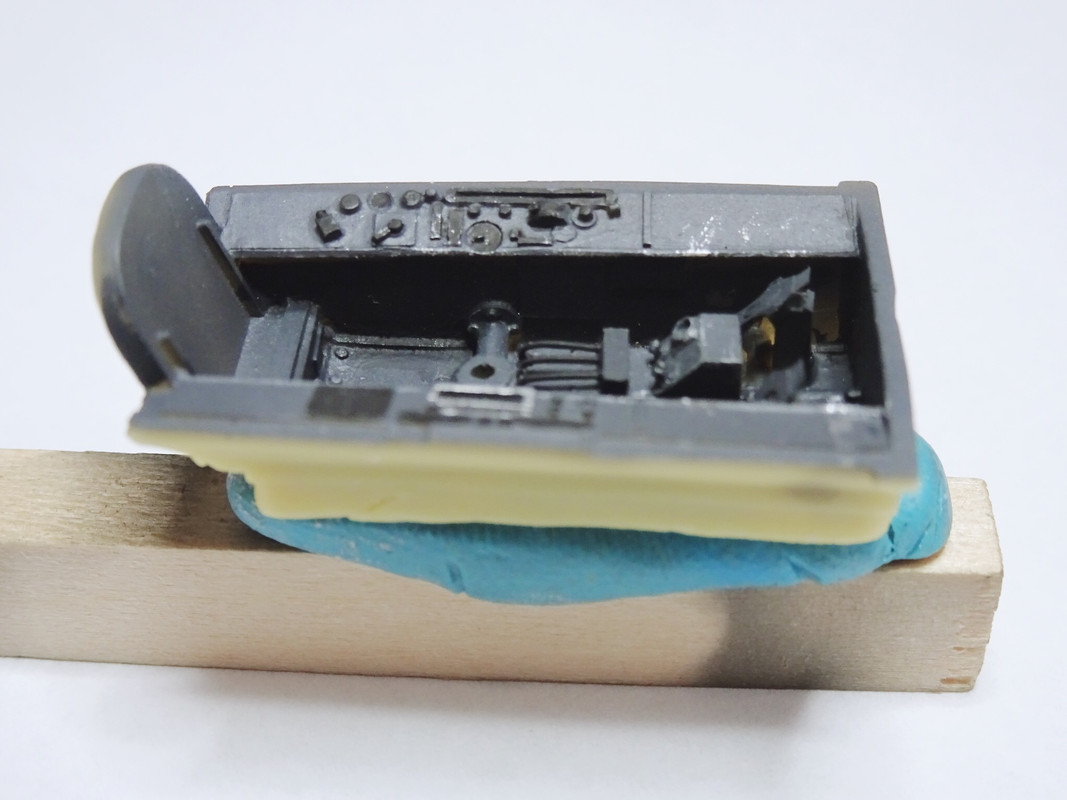
Your work looks great, Clint! I found the color of RLM66 was a real challenge. Your choice of using the Verlinden resin tub makes a huge difference in detail, and your paint work brings out the best in everything—the control stick from Trimaster and the fantastic white metal seat. There is a real sense of depth in the color. One of the thoughts I had finding a visual representation of RLM66 was the usage of RLM02 in the A-0 and A-1 for the control stick. I definitely shifted MM’s version of RLM66 to the lightest end of the spectrum. Although I did have an alternate idea to just go for a true “Black 13,” with dark RLM66 and a black seat cushion. I suspect at that point I was thinking of the personality of a race car driver and not a war time pilot. By the time of your A-8, the colors were as dialed in as they were gonna get, and your cockpit reflects this situation perfectly.
Make more models!

Re: Trimaster FW190A8
Thanks Bruce, I used two different RLM66s (Tamiya and Vallejo) to try and get a contrast of color on a monotone piece. Also inspired by your build I added a thin wire to the control stick of course in this smaller scale It's not coiled like yours, but I like the little extra it adds.
March as one, Don't look back
Odin's sons... Attack!
Unleash hell! Do not repent! Warfare grants us no lament
Let your weapons slash and tear This is no place for fear
Hold the lines! Move as one! In unity our victory's won
Our shields will form a mighty wall
United we shall never fall
Odin's sons... Attack!
Unleash hell! Do not repent! Warfare grants us no lament
Let your weapons slash and tear This is no place for fear
Hold the lines! Move as one! In unity our victory's won
Our shields will form a mighty wall
United we shall never fall
-
mustang1989

- Moderator
- Posts: 5044
- Joined: Tue Mar 18, 2014 8:35 pm
Re: Trimaster FW190A8
Looks good so far Clint. Do you have a white balance setting on your camera that you can go back and edit the photos with? I have the same problem with lighting at times and using that function on the camera I've been able to work around it.
-
speedgraflex
- Moderator
- Posts: 11534
- Joined: Fri Feb 10, 2017 11:08 pm
- Contact:
Re: Trimaster FW190A8
I performed a quick correct—exposure +3 stops, increased contrast and I also pulled away some shadows.

Make more models!

Re: Trimaster FW190A8
Oh wow! See I didn't even notice the gun assembly until AFTER Bruce's edit. More on those awesome looking guns, please!
John aka JKim
-----------<><

-----------<><
-
mustang1989
- Moderator
- Posts: 5044
- Joined: Tue Mar 18, 2014 8:35 pm
Re: Trimaster FW190A8
Atta boy "Cheecho" !!! That's what I'm talking about on the white balance! Brings everything out.
Very nice detail too Clint!!!
Very nice detail too Clint!!!
Re: Trimaster FW190A8
WOW thanks Bruce, I have no idea what any of that means lol, all I know was the guy at the shop said the camera will do all the work.
John I'll try to get some more shots up today.
Mustang thanks I'll see if I can adjust the white balance.
John I'll try to get some more shots up today.
Mustang thanks I'll see if I can adjust the white balance.
March as one, Don't look back
Odin's sons... Attack!
Unleash hell! Do not repent! Warfare grants us no lament
Let your weapons slash and tear This is no place for fear
Hold the lines! Move as one! In unity our victory's won
Our shields will form a mighty wall
United we shall never fall
Odin's sons... Attack!
Unleash hell! Do not repent! Warfare grants us no lament
Let your weapons slash and tear This is no place for fear
Hold the lines! Move as one! In unity our victory's won
Our shields will form a mighty wall
United we shall never fall
-
speedgraflex
- Moderator
- Posts: 11534
- Joined: Fri Feb 10, 2017 11:08 pm
- Contact:
Re: Trimaster FW190A8
Actually, your white balance looks fine. It's the exposure mainly. If you are using a Nikon D70, push the +/- button near the shutter button to get into Exposure Compensation mode and then rotate the upper right thumb wheel to adjust exposure. +1 means you are brightening the photo by one stop. -1 means you are darkening. Bruce says he bumped up exposure three stops (+3) so that would be a good place to start in similar lighting conditions.
John aka JKim
-----------<><
-----------<><
-
mustang1989
- Moderator
- Posts: 5044
- Joined: Tue Mar 18, 2014 8:35 pm
Re: Trimaster FW190A8
Yikes! Maybe I need to go back to Camera Operation 101. I'll be checking that exposure setting on my camera. 